
office:remotedesktop
Table of Contents
Remote Desktop
RustDesk
Installation over a given relay server with token in the file-name is ensuring, that only machines known to a shared relay-server can establish a connection. As a last step, it will be important to set up a static/permanent password.
Enter the menu
 Just enter the Settings menu via top left menu button on the GUI of RustDesk Client.
Unlocking security Settings
Use “Security” Categorie on the left side and Unlock the settings.
Set a password
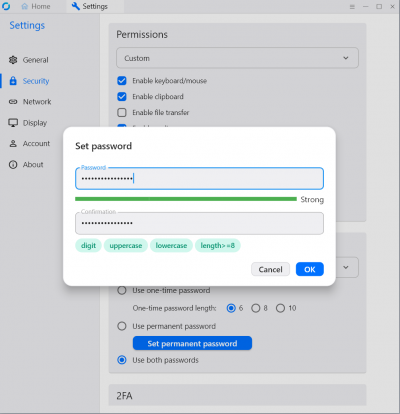 Make sure to keep “Use both passwords” and then clik “Set permanent password” to define a string one.
office/remotedesktop.txt · Last modified: 2025/05/20 10:22 by rengel